Adding Historical Share Purchases Directly into Investment Register
Adding Historical Share Purchases Directly into Investment Register
Shares in a company or units in a unit trust (including a managed fund) are treated in the same way as any other asset for capital gains (CGT) tax purposes.
For an investor, CGT applies to capital gains on shares or units when a CGT event happens, such as when you sell them (unless you acquired them before CGT started on 20 September 1985). However, profits on the sale of shares made as part of a business of share trading are taxed as ordinary income rather than as capital gains.
Be sure to keep detailed records of all share and unit transactions, not only for CGT purposes but also to meet your other income tax obligations.
Such records will generally include:
- the date of purchase
- the purchase amount
- details of any non-assessable payments to you
- the date and amount of any calls (if shares were partly paid)
- the sale price (if you sell them)
- any commissions paid to brokers when you buy or sell
- details of events such as share splits, share consolidations, returns of capital, takeovers, mergers, demergers and bonus share issues.
As you may have purchased parcels of shares in the same company at different times, you need to keep full details for each parcel as they are separate CGT assets.
Click on the following ATO link for information on Shares, units and similar investments and Keeping records of shares and units.
The Investment Register requires you to have a complete record of your share purchase transactions (i.e. the number of shares for each stock in the Investment Register must equal the total shares you actually own in each company listed in your share portfolio). All income transactions (e.g. dividends, distributions, DRP) are automatically calculated on the number of shares for each company. It is also vital for all share sale transactions, as they are allocated against the 'current holdings' (i.e. each parcel of shares you have purchased for that company and entered into the Investment Register.)
To Add the Initial/First Purchase of an Investment into the Investment Register
- Click Registers
- Investments menu options
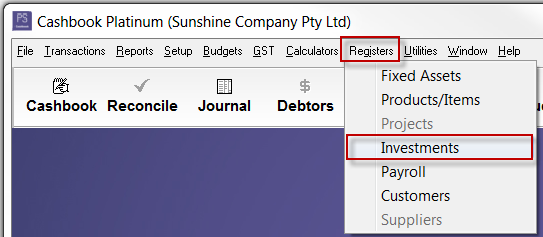
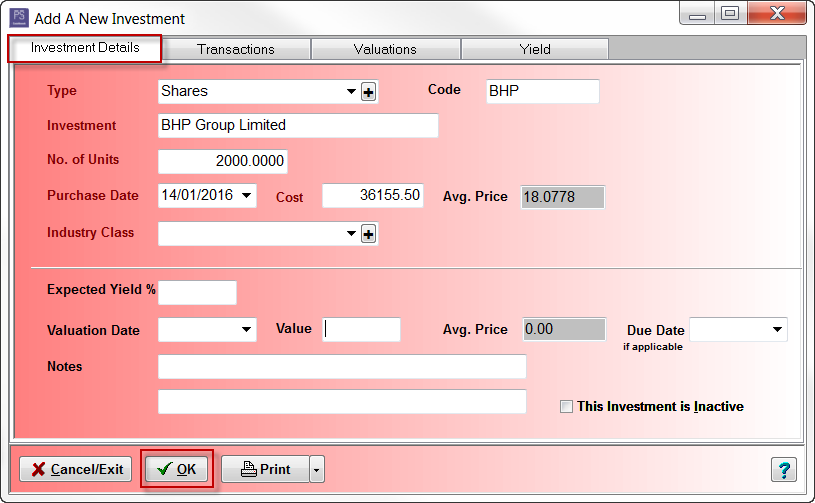
iii. Click Add
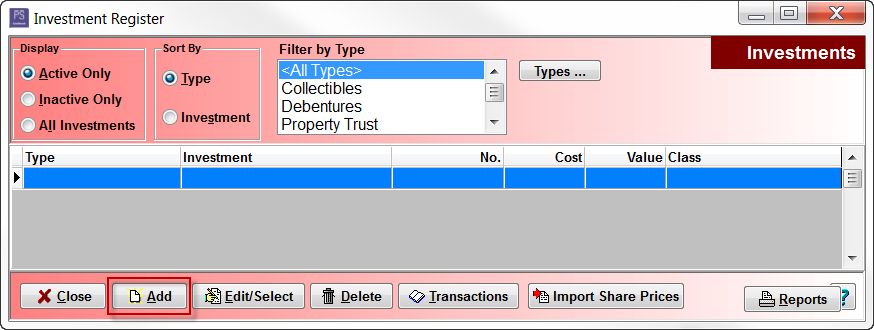
- Enter the initial/first share purchase transaction information:
- Type - select from drop-down list - e.g. Shares. Note that you can use the [+] button to add to or change the list of investment types
- Code e.g. ASX Code for shares e.g. BHP
- Investment name e.g. BHP Group Investment
- No of Units (purchased) e.g. 2000
- Purchase Date - e.g. 14/01/2016
- Cost - net total cost of investment. e.g. 36155.50
- Avg. Price - this automatically calculates. Make sure this is correct. e.g 18.0778
- Industry Class - (optional) e.g. Mining
- Expected Yield % - (optional)
- Valuation Date and Value - (optional) - If left blank, initial value will be set to the same as initial cost
- Due Date - (optional) - e.g. used for term deposit type investments
- Notes - up to 2 lines
- This Investment is Inactive - tick to indicate that the investment is no longer held
- Click OK to save
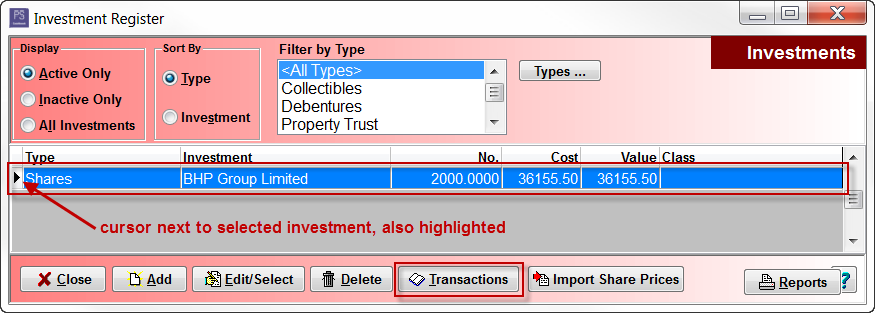
To Enter Any Subsequent Purchase of Shares
- Click on the investment to highlight
- Click Transactions
iii. Click Add
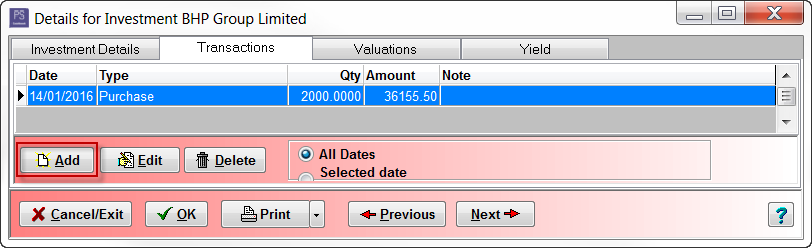
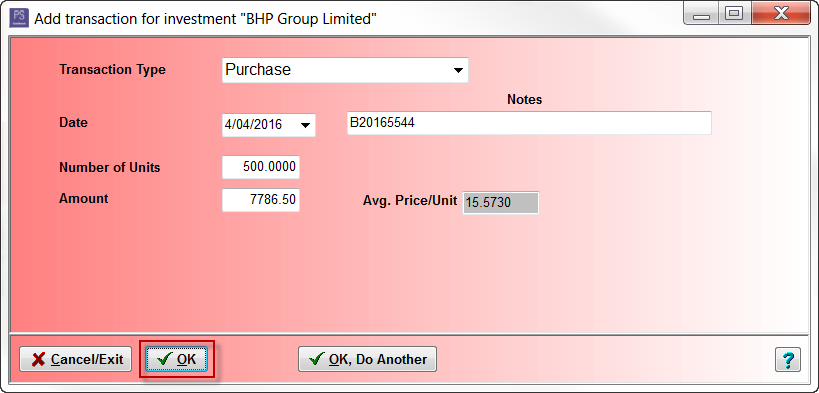
- Enter purchase details:
- Transaction Type - select from drop-down list - e.g. Purchase
- Date - e.g. 04/04/2016
- Notes - (optional) e.g. Buy contract number, or e.g. 3 for 36 accelerated renounceable rights issue
- Number of Units - number of units/shares purchased. e.g. 500
- Amount - e.g. 7786.50
- Avg. Price/Unit - make sure this is correct - e.g. 15.5730
- Click OK to save
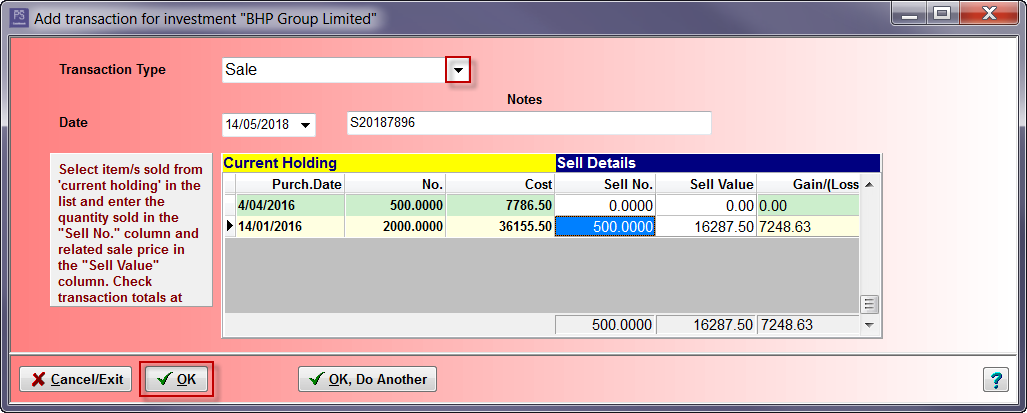
Enter a Share Sale
- Transaction Type - select from drop-down list - e.g. Sale
- Date - e.g. 14/05/2018.
- Notes - (optional) e.g. Sale contract number
- Enter the quantity sold in the "Sell No." column. e.g. 500
- Enter the related sale price in the "Sell Value" column.e.g. 16287.50
- Note: the FIFO (First In First Out) method is usually the default method used when you decide to sell a portion of your holdings in a stock
- Click OK to save
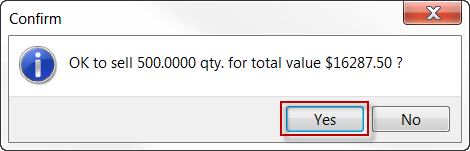
viii. Click Yes to Confirm message
- The Transactions list looks like:
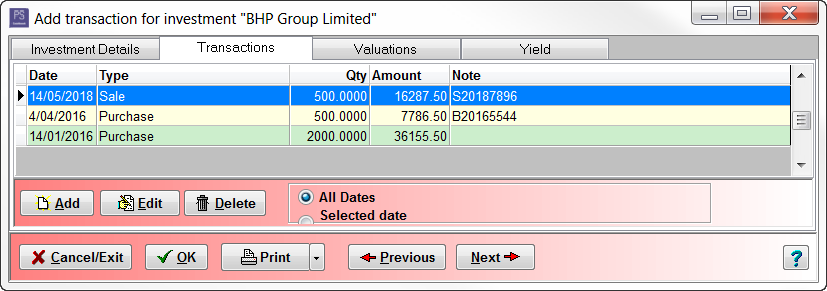
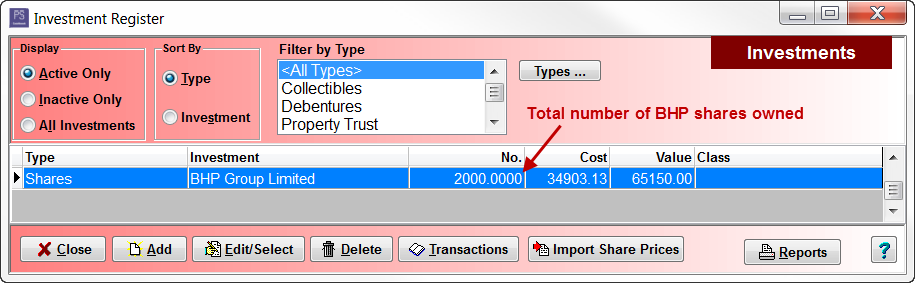
- 2000 shares + 500 shares - 500 shares = 2000 shares:
Article ID 4301