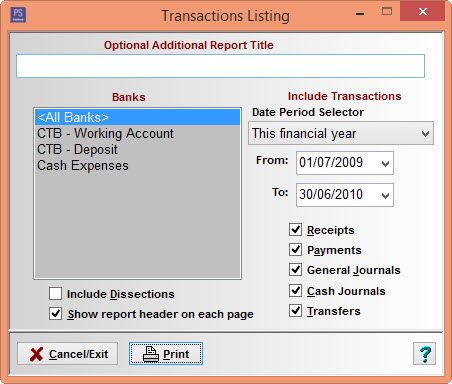
Transaction Listing Report.
PS Cashbook: Transaction Listing Report
Summary
How do I get a report of specific transactions?
Detailed Description
To produce a Transaction Listing report:
- Click on the Reports > Accounting Detail > Transaction Listing menu option.
- Enter an Optional Additional Report Title or heading note if required.
- Select the bank account/s required. Multi-selection is available by holding the Ctrl key whilst clicking on each bank account name.
- Enter the required date range for the report - dates must be within the current financial year.
- Click the Include Dissections check box to print the dissection detail of each transaction in the report.
- Select Receipts, Payments, General Journals, Cash Journals and/or Transfers transaction types as appropriate.
- Click on the Print button to generate a screen preview report - then click the printer icon to produce a printed version if required.